Updated: 06/05/2019 | June 5th, 2019
When I planned my move to Sweden a few years ago, I tried to figure out how to get past the 90-day limit placed on tourist visas in the Schengen Area. This is a problem encountered by thousands of travelers every year and a question that regularly (especially this time of year) pops up in my inbox.
“How can I stay in Europe for more than 90 days?” I’m always asked.
It’s a great question with a very complicated answer. I always knew it was difficult, but until I started researching how to stay there longer, I never knew just how difficult. But in the process of this research, I came to learn there are a few ways to stay in Europe longer than 90 days; they just aren’t well known.
This post will teach you the options for staying in Europe over 90 days as well as give you tips on how to move to Europe. But first a few things:
It’s important to note that Europe isn’t just one place — there are varying visa rules throughout the continent. When people talk about the “90-day limit,” they’re talking about restrictions on the Schengen Area, which is the visa policy that governs 26 countries in Europe. It includes all of the European Union — except Ireland and the United Kingdom — as well as a few non-EU countries. (Note: While I call it the “Schengen Visa”, it’s not an actual visa you apply for. It’s simply what I refer to the 90 day limit as.)
What is the Schengen visa?
The Schengen visa is a 90-day tourist visa for Schengen Area countries, which are:
These Schengen countries have a border-free visa agreement that lets residents move throughout the Area without needing to show their passport every time they cross a border. Essentially, it’s as if they’re one country, and you can move as freely as you want. (Residents of the UK and Ireland are allowed limitless entry.)
Citizens of most countries are allowed to enter the Schengen Area without having to get a visa beforehand. Your passport simply gets stamped upon your arrival and departure from Europe. You’re allowed to enter and leave from any country you want — they don’t have to be the same. I fly in and out of different countries all the time. Your first entry in the 180-day period is when your 90-day counter starts. These days don’t need to be consecutive — the total is cumulative. Once day 181 hits, the count resets itself.
For example, if I come to the Area in January and stay for 60 days and then come back in June for 10 days, that counts as 70 days in 180 days. Only days you are in the zone during the period count. If you go on January 1st and stay 90 straight days, you have to leave and technically can’t come back until July 1st.
However, not all travelers are allowed such freedom. Citizens from many countries need to apply for a Schengen visa ahead of time. You’ll be required to fill out paperwork beforehand and fly in and out of the country for which your visa is issued. (Even then, you still might not be granted a visa. Spoiler alert: citizens from African and Asian countries get screwed.)
You can find the specific rules regarding your country at the European Commission website or from the country that is your first point of entry.
So, with that being said, how DO you stay in Europe (i.e. the Schengen Zone) longer? How do you get around that rule? Let me break it down for you.
Part 1: Staying or Moving to Europe the Easy Way
With so many visa rules, it’s easy to stay in Europe beyond 90 days as a tourist — you just need to mix up the countries you visit. The United Kingdom has its own rules that allow you to stay 180 days in a calendar year. Most non-Schengen countries such as Ukraine, Moldova, Croatia, Ireland, and some Balkan countries allow you to stay for up to 60 or 90 days. So all you need to do is spend 90 days in the Schengen Area, visit the UK, go to the Balkans, hang out in Ukraine, drink wine in Moldova, and have a pint in Ireland. If you align your schedule right, you can easily be out of the Schengen Area for 90 days and then head back into the Schengen Area.
I spent three months in Bulgaria, Romania, Ukraine, and England as I waited for my clock to reset and then headed back into Germany for Oktoberfest.
So if you want to travel the continent for a long time without having to go through the various visa processes described below, vary your travel by visiting non-Schengen countries. There’s plenty to see elsewhere while you wait to wait for your Schengen Visa clock to reset.
—-> Need more tips for Europe? Visit my destination guide and get in-depth information on what to see and do and how to save money.
Part 2: Staying in the Schengen Area Past 90 Days

But what if you do want to stay longer in the Schengen Area? Then what? What if the six months you want to be in Europe is all in the Schengen Area? What if you want to live and work in Europe?
After all, it covers 26 countries, and visiting so many destinations in 90 days can be a little rushed (you would have an average of 3.4 days per country).
If you want to stay longer to travel, live, learn a language, or fall in love, then the “move around” option suggested above isn’t going to work for you. You need something else. Luckily, there are a few ways to do this — and I can’t stress enough the importance of the word “few.”
Staying more than 90 days in the Schengen Area isn’t easy.
First, let’s understand the rule…
The Schengen law states that you can’t stay in the Area more than 90 days. If you do, you’re subject to a fine and deportation. How that rule is enforced, though, varies greatly from one country to another. If you overstay by a few days or even a week, you’ll probably be OK. If you overstay longer, you might have problems.
Some countries do not mess around with visitors overstaying. For example, Germany, the Netherlands, Poland, Switzerland, and Scandinavian countries are all very strict about entry and exit. If you overstay your tourist visit by longer than a week, there’s a good chance they’ll pull you aside. Two Australians I know were detained leaving Switzerland due to overstaying their visa by two weeks. They were allowed to go with just a warning, but they missed their flights and had to book new flights.
I know of someone who overstayed by six months, tried to leave from Amsterdam, and now has an “illegal immigrant” stamp on her passport. In order to enter Europe again, she must apply for a visa at an embassy and be preapproved: “I made the mistake of attempting to leave from the Netherlands after overstaying a Schengen visa and was caught. I overstayed by about a month, and they hand-drew some sort of insignia in my passport to note my overstay. They told me I’d have to contact the IND and find out if I would be able to enter the Schengen states again.”
(And another blogger I met just told me this happened to them too…so don’t overstay!)
Yet if you leave from Greece, France, Italy, or Spain — the southern European countries — you won’t have any problems, provided you (a) haven’t stayed over too long and (b) didn’t catch the immigration officer on a bad day. When I left Greece, no one even looked at my passport. One of my friends met a guy in France, fell in love, and decided not to leave. A year later, when she finally did, the French officials didn’t even look twice. Another friend flew into France and didn’t even get an entry stamp. Spain is notorious for not caring, and Americans who decide to overstay for months mention that as the easiest country to exit from.
That being said, I don’t think it’s wise to overstay. No matter where you are, you can get away with a few days. Maybe a week, especially if you’re heading home. But a few weeks? A few months? The risk is too great. I love going to Europe enough where I wouldn’t want to be banned.
Can you extend your Schengen visa/stamp?
The Lonely Planet Thorn Tree forums, while a mess of random posts, are good for one thing: stuff like this. I came across one great quote: “This topic has been discussed ad nauseam here on the boards for years. If someone found a way to extend a Schengen, we would have heard of it by now.”
He’s right. Simply put, you cannot extend your tourist visa or entry stamp. There’s a 90-day limit, and that’s that.
OK, so what’s a tourist to do?
1. Get a working holiday visa so you can stay or move there legally
Working holiday visas are easy to get and the best way to extend your stay — even if you don’t want to work. Citizens of Australia, Canada, and New Zealand (and often South Korea and Japan) are eligible for one- to two-year working holiday visas from most of the Schengen countries. Applicants must apply for this visa from a specific country and be younger than 30 (though, in some cases, like for Canadians working in Switzerland, you can be as old as 35).
Additionally, know you can get multiple working holiday visas. An Australian reader of mine got a two-year Dutch working holiday visa and then got one from Norway to stay two more years. While she and her boyfriend (who also got one) did odd jobs in Holland for a bit, they mostly used it as a way to travel around the continent. Note: This type of visa won’t allow you to work in any other country than the one that issued it.
To find out more, visit the embassy of the country you want the visa from in order to apply. Individual countries give these out.
For Americans, there is no working holiday visa in the Schengen Zone. However, American citizens who are in school or within a year of graduation can get a working holiday visa for Ireland. That will allow you to live and work in Ireland – and thus travel around Europe!
2. Get a long-term-stay visa so you can stay or move to Europe
Unfortunately, the majority of the countries do not allow long-term-stay visas for visitors. In my pursuit of a long-term visa for Sweden, I found that there’s no universal long-term tourist visa for the Schengen Area. Schengen allows for a C- or D-class visa (the letter varies on the country), which is a semi-permanent residence visa for up to one year. But the specific visa and requirements vary from country to country. Some countries are harder, some are easier, and others are nearly impossible despite being in the same visa treaty zone. (I don’t understand the variance either. Same zone, different rules — it makes no sense. You’d think if they were to all have the same rules they would abide by the same visa.)
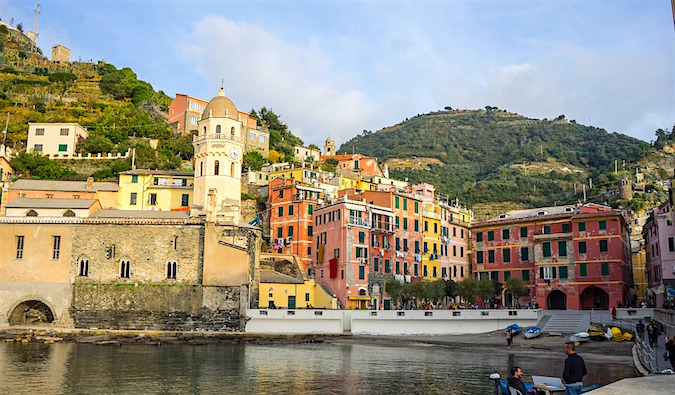
But there are a few countries that do offer long-term visas and they aren’t too hard to get:
France

France offers a long-term visitor visa for a period of up to one year. The application process takes up to one month. According to the French Embassy, “The ‘visitor’ visa (or visa ‘D’) allows you to enter France and stay for more than three months. Long-stay visa holders will be allowed to reside in France for up to 12 months according to the validity of their visa and purpose of stay.”
To get this visa, you must set up an appointment at the French consulate near you. You can’t walk in — you must make an appointment.
At this appointment, bring the following documents:
- One application form filled out completely and signed
- One ID picture glued onto the application form
- Your original passport, which must have been issued less than 10 years ago, be valid for three months after your return, and have at least two blank pages left
- A letter certified by a notary public that promises you won’t engage in work
- A letter of employment stating current occupation and earnings
- Proof of income (you’ll need bank statements or copies of your investment portfolio)
- Proof of medical insurance that includes evacuation insurance
- Proof of accommodation in France. (The French consulate never returned my emails, so I was unsure how you could have this before you even get to France. One could use a friend’s address or, lacking that, “rent” a place (one where you can get a refund) for the purposes of the interview. It’s a little fuzzy.)
Note: You can’t apply for this visa more than three months before your arrival date.
You can visit the French Embassy website for links to local embassies and consulates for more information.
Sweden
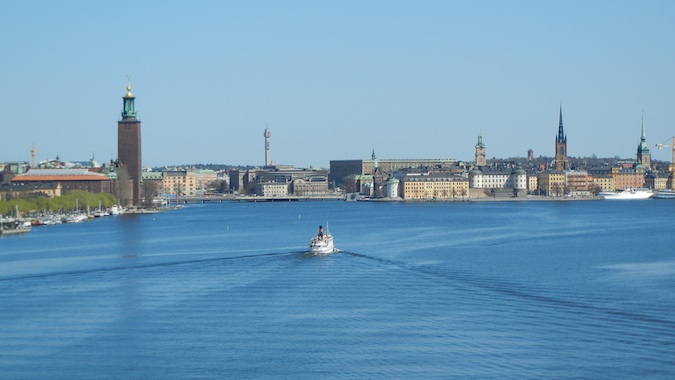
Sweden also offers a long-term stay tourist visa for a maximum period of one year. The process is easy but long — up to eight months! It’s not something to do at the last minute (though if you already in the country, the process only takes a couple of weeks). You’ll need two copies of the following documents when applying for the visa:
- Residence permit for visitor’s application form
- Notarized copies of the pages of your passport that show your identity and the validity of your passport, as well as copies of all the other visas/stamps you have
- A bank statement showing your means of supporting yourself for the duration of your stay
- A return airplane ticket
- A letter from your insurance company stating you’re covered overseas
Applications can be delivered in person during visiting hours (no appointment needed) or mailed to a Swedish consulate.
After your documents are received, you’ll be required to have an interview with one of the immigration officers. Most people who apply for this visa have family in Sweden. If you don’t, you’ll need to have clear reasons as to why you need to stay longer and show ample proof that you can support yourself (i.e., “I want to meet Swedish guys/girls” won’t cut it!). If you’re applying in Sweden, you’ll need to put a local’s address on your application form, and that person will have to accompany you to your interview!
Italy

Like the other countries, Italy will let you in if you can afford it and promise not to work. You’ll need the following documents to apply:
- A long-term visa application filled in and signed at the consulate. You must appear in person.
- One passport-style photo
- Your passport, which has to be valid three months over the planned stay in Italy. The passport will be kept during the application process.
- Documented and detailed guarantee of steady income, as well as proof of financial means, such as letters from the bank indicating the status of your account, including the amount of money in the account.
- Proof of lodging in Italy
- A letter specifying the reason for your stay in Italy, length of stay, and where you plan to reside
- A notarized background check
This visa is issued solely to those who are planning to move to Italy and not work.
Greece, Spain, and Portugal also offer long-term-stay visas, but they’re geared to people who are retired or plan to work in the country and have a lot of assets. They aren’t meant for people passing through, but you can always try and apply anyway. They have a lot more requirements and are really meant for people who will live there.
Additional notes:
- The rules are not universal. In some cases (depending on your country of citizenship), additional documents may be required. You’ll want to check with your local embassy for specifics, but you aren’t restricted from applying for these visas from your home country.
- All of these visas will require you to show proof that you either have income, have a lot of savings or both. This is about proving you don’t need to work. They’re adamant about not letting these visas be someone’s back-door way of getting into the EU and finding a job. While most didn’t give an exact number, I would say that if you don’t have at least $25,000 USD in your bank account when you apply, you shouldn’t apply. It’s hard to say for sure how much you’re required to have, as the embassy websites aren’t specific. It’s most likely at the discretion of the immigration officer, but the more money you can show, the better. For citizens coming from developing countries, this number might be higher, and you may even need someone to vouch for you.
Because of Europe’s open-border policies, while you need to enter and exit from the country that issued you the visa, but you can be anywhere in Europe during the length of your visa. Once a country has issued you one of these short-term-stay residence visas, you’re a “resident,” allowing you access to anywhere in Europe.
EVEN MORE ADDITIONAL NOTES FOR AMERICANS:
For U.S. citizens, France has a bilateral agreement that allows the US citizens to stay an additional 90 days beyond the Schengen limit – without a visa!! Seriously. You can spend another 90 days in France. You can enter from any Schengen country, stay 90 days in France, and then fly home. But you have to go home. You can’t go elsewhere. You have to leave Europe so you can’t use your time in France as a sneaky way to reset your Schengen clock.
Now, the France / US rule is tricky. Multiple French consulates told me yes, they thought this law existed but couldn’t tell me where to find it. They just referred me to France’s general rules on immigration. A few visa services told me I was crazy. One consulate told me it was possible but only with a long-term visa.
BUT, after many calls, the embassy told me that yes, this law does and that yes, this is still valid. Then they referenced me to the French national archives.
And we found it. We found the actual diplomatic papers that spell this out. It took us close to a year to find it but we did.
Here’s a link to the law.
And this is the note from the French government about it:
Hi,
There is a bilateral agreement between French and the US by exchange letters (March 16-31 mars 1949), which allows American citizens to stay in France 90 days over 180 days, irrespective of the stays already made in other Schengen countries.
However, this agreement has been made before the Schengen agreement. Today, as there is no more border control between the Schengen countries, it is very difficult to determine how long a person has stayed in France and we heard that some people had troubles with the immigration police while leaving France.
Therefore, we recommend American citizens to respect the Schengen regulation which allows a maximum of 90 days on 180 days in the whole Schengen area.
Consulat général de France, Service des visas
4101 Reservoir Road, Washington DC, 20007
A follow to them gave me this response:
“Whilst the bilateral agreement you refer to has not officially been revoked, the French Border Police has sole authority on deciding whether to apply it or not, at the time of entering or exiting the Schengen area.”
And this was confirmed by the embassy in Lond too.
So this is really a thing – and while they don’t like you using it – it’s still the law. Just bring proof you stayed in France for 90 days!
Additionally, Denmark and Poland also have bilateral agreements with the United States that let citizens stay an additional 90 days in each country separate from the regular Schengen Zone visa. The Denmark rule applies the same way as the French one. You must travel directly from another Schengen country to Denmark. After your stay in Denmark, you cannot transit through other Schengen countries to get back to the US, you will have to fly directly or transit through non-Schengen zones. The Denmark additional 90-day stay is applicable for citizens of Australia, Canada, Chile, Israel, Japan, Malaysia, New Zealand, Singapore, South Korea and the US.
If you want to visit Poland, you must enter and leave Poland via a non-Schengen country where you will be stamped again (i.e., direct flight from NYC). So you could do 90 days in the Schengen, fly to the UK, and then fly to Poland.
Now, in theory, one could say thanks to borderless travel you could get your “extra 90 days in Denmark” and then just travel around, fly out of Denmark, and no one would be the wiser. One could say that. But I’ve noticed a lot more intra-Europe passport checks in the last year in the wake of the refugee crisis and rise of right-wing governments across the continent. I got yelled at in France for not having my passport with me while on a train to see a chateau. I wouldn’t recommend being super careless about this but, in theory, I guess it could be done.
Note: Poland’s rules are simply laid out in an agreement letter the US and Poland signed in 1991. (Here’s a copy of the letter from the Polish government.)
3. Get a “student” visa
All Schengen Area countries offer student visas that are easy to obtain so long as you’re enrolled in a recognized university program. This would require you to pay for the course, but it will virtually guarantee you a visa.
The best country to do this in is Spain (Portugal also offers a student visa that is easier to get than other countries), where a whole industry has sprung up to help “students” study Spanish. There are tons of schools that will allow you to enroll and write letters stating you’re a student there. (You’ll also need to apply in your home country!) This blog post details the process in great depth.
One thing to note is that this process is expensive since you have to pay for the class, visa fees, and required background checks, but if you really want to stay a full year, it might be worth the cost.
4. Get a freelancer visa to work or move to Europe
There are a few countries that offer freelancer visas for the modern day digital nomad (or wannabe digital nomad). This process is a little more complicated and not for the casual tourist. These visas are meant for people who actually want to live in Europe. For the casual tourist, you’d probably get denied. While your freelancer visa is being processed, it would extend your Schengen as countries give you extra time while they process the paperwork. So, in theory, you could apply knowing you’ll get denied to buy yourself some more time but that would be a lot of effort for nothing so probably don’t want to do that.
Germany offers the best freelancer visa and is the country most used by people who want to reside in Europe. If you’re a freelancer, artist, or have some form of income, this is the visa to get (and it’s quite easy to get). It’s perfect and will give you one to two years in the EU. This isn’t a business visa where you move your company to Germany, but a visa for contract workers, artists, web folks, and other freelance-type jobs.
You need to apply for this visa when in Germany. The process usually takes about a week. You simply need the following documents at your visa appointment:
- A completed application form
- Two passport photos
- Bank statements — like the other visas, they want to know you have money just in case you don’t find work. As before, the more money, the better.
- A copy of your résumé.
- Proof of residency — You’ll either need to be on a rental contract or be on someone’s rental agreement. You need to bring an official copy of the rental agreement to the immigration office. Adam of Travels of Adam, says, “All I’ve ever had are short sublets. You still have to register at a local city office, but all I’ve done is show up with a printed-out lease from the Internet and submitted that. Once you do that, you get the official form from the local office and that’s all the visa people want to see.”
- Health insurance — you need to have German insurance that’s valid for at least one year. It’s easy to get once you’re in Germany, and you don’t need to be a German citizen to get it.
Bring a German speaker with you just in case there’s a need for translation. The process is pretty straightforward. You might get lucky and get the visa that day. Or they might review it over the course of a couple of weeks. But if they do that and your 90-day Schengen visa is close to expiring, they’ll give you a temporary three-month visa extension while they process your request. In theory, one could apply for the visa knowing they won’t meet all the requirements simply to get the three-month temporary visa.
It’s very rare someone is denied this visa if they can show they have a job, income, or money in the bank. How they determine an “artist” is actually pretty loose too. I have tons of friends who have gotten this visa.
Additionally, the Czech Republic also has freelancer visa. It’s just as complex to get and you’ll need at least $6,000 USD in your bank account as proof you aren’t going to leech off their services. The lovely folks at Wandertooth, who did this process last year, walk you through the steps.
In recent years, Spain has also created freelancer visa called the “autonomo” that also follows a similar process. You can read more on this website, Spainguru.
These three countries are your best bet for this type of visa. While other countries offer them, they require lots of proof of income, taxes, and that you actually plan to live and operate your business in the country.
5. Get married and live in Europe forever!!!
Fall in love with a European (or at least a friend) and apply for a marriage visa! You’ll get to stay there while the application process goes through and then you can move to Europe and stay there forever with the love of your life! That’s win-win!
********
The best, easiest, and most effective way to stay in Europe and live there long-term is to increase the number of countries you visit so you’re in the Schengen Area for only 90 days. As I said, there are a lot of countries not in the Area, so this is easy to do.
If you’re like me and want to stay in the Shengen Area longer than 90 days (or just want to move to Europe because it’s awesome), be prepared to work the system.
If you do want to stay in the Schengen Area beyond the 90-day limit, you need to apply for one of the visas listed above. When you go to the interview, make it crystal clear that you have enough money to support yourself, you’re not looking for a job, and give good reasons why you need to stay longer. “I want to spend more time drinking in Greece” will get you nowhere.
In the end, it’s not impossible to stay long-term in the Schengen Area. By working the system a bit and using the few loopholes that do exist, one can legally stay past 90 days and enjoy all Europe has to offer without worrying about being barred for life.
Further Europe Travel Planning Articles:
—> How to Live and Work in Spain
—> What to See and Do in Europe
—> Cheap Ways to Travel Across Europe
—> How a Eurail Pass Can Save You Money
Want All My Money-Saving Tips? Get My Guide to Europe

Nomadic Matt’s Backpacking Europe
My detailed, 200+ page guidebook is made for budget travelers like you! It cuts out the fluff found in other guidebooks and gets straight to the practical information you need to travel and save money while backpacking around Europe. You’ll find suggested itineraries, budgets, ways to save money, on and off the beaten path things to see and do, non-touristy restaurants, markets, and bars, and much more!!
Also look at my other Europe guides:
- Amsterdam
- Iceland
- Paris
- Stockholm
View all my guides —>
Book Your Trip to Europe: Logistical Tips and Tricks
Get Your Guide
Check out my detailed guide to planning a long-term trip around Europe with suggested itineraries, places to stay, things to do, tips to get around, and even more visa info so you can stay longer and have more fun. Just click here to get the guide and continue planning today!
Book Your Flight
Find a cheap flight by using Skyscanner or Momondo. They are my two favorite search engines because they search websites and airlines around the globe so you always know no stone is left unturned.
Book Your Accommodation
You can book your hostel with Hostelworld. If you want to stay elsewhere, use Booking.com as they consistently return the cheapest rates. (Here’s the proof.)
Don’t Forget Travel Insurance
Travel insurance will protect you against illness, injury, theft, and cancellations. It’s comprehensive protection in case anything goes wrong. I never go on a trip without it as I’ve had to use it many times in the past. I’ve been using World Nomads for ten years. My favorite companies that offer the best service and value are:
- World Nomads (for everyone below 70)
- Insure My Trip (for those over 70)
Looking for the best companies to save money with?
Check out my resource page for the best companies to use when you travel! I list all the ones I use to save money when I travel – and I think will help you too!